Microsoft Outlook 2010 Advanced Level
Description: Welcome to the Microsoft Outlook 2010 Advanced workshop. In this course, you will explore more advanced tasks in Outlook …
 537 Students


Save 93.19 % - Offer ENDS SOON

 Access All Courses for Only £49
 14-Day Money-Back Guarantee
-
1 Year Access
 -
Advanced Skill Level
 -
12 hours, 10 minutes Duration
Microsoft Outlook 2010 Advanced Level
Join thousands of learners building a successful career
Description:
Welcome to the Microsoft Outlook 2010 Advanced workshop. In this course, you will explore more advanced tasks in Outlook 2010, like customising your Outlook interface and your profile. You will learn how to use Word elements in your E-mails. This course explains some of the advanced e-mail, calendar, and task commands, as well as the Notes feature. Understand deeply about RSS feeds and how to manage and protect your Outlook data.
Who is the course for?
- Professionals who want to learn about the advanced Microsoft functions and features.
- People who have an interest in knowing all the essential Microsoft Outlook features.
Entry Requirement:
- This course is available to all learners, of all academic backgrounds.
- Learners should be aged 16 or over to undertake the qualification.
- Good understanding of English language, numeracy and ICT are required to attend this course.
Assessment:
- At the end of the course, you will be required to sit an online multiple-choice test. Your test will be assessed automatically and immediately so that you will instantly know whether you have been successful.
- Before sitting for your final exam, you will have the opportunity to test your proficiency with a mock exam.
Certification:
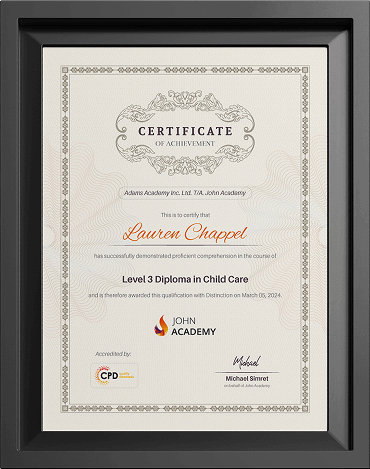
- After you have successfully passed the test, you will be able to obtain an Accredited Certificate of Achievement. You can however also obtain a Course Completion Certificate following the course completion without sitting for the test. Certificates can be obtained either in hardcopy at the cost of £39 or in PDF format at the cost of £24.
- PDF certificate’s turnaround time is 24 hours, and for the hardcopy certificate, it is 3-9 working days.
Why choose us?
- Affordable, engaging & high-quality e-learning study materials;
- Tutorial videos/materials from the industry leading experts;
- Study in a user-friendly, advanced online learning platform;
- Efficient exam systems for the assessment and instant result;
- The UK & internationally recognised accredited qualification;
- Access to course content on mobile, tablet or desktop from anywhere anytime;
- The benefit of career advancement opportunities;
- 24/7 student support via email.
Career Path:
The Microsoft Outlook 2010 Advanced Manual is a useful qualification to possess and will be very beneficial and helpful, especially to the following professionals:
- Business
- IT
- Admin
- Secretary
- Project Management
Course Curriculum
-
 Module One – Getting Started 01:00:00
 -
Module Two – Customizing Outlook 01:00:00
-
Module Three – Adding Word Elements to an E-mail 01:00:00
-
Module Four – Customizing Your Profile 01:00:00
-
Module Five – Advanced E-Mail Tasks 01:00:00
-
Module Six – Advanced Calendar Tasks 01:00:00
-
Module Seven – Doing More with Tasks 01:00:00
-
Module Eight – Using Notes 01:00:00
-
Module Nine – Viewing RSS Feeds 01:00:00
-
Module Ten – Managing Outlook Data, Part One 01:00:00
-
Module Eleven – Managing Outlook Data, Part Two 01:00:00
-
Module Twelve – Wrapping Up 00:30:00
-
Activities-Microsoft Outlook 2010 Advanced Level
-
Order Your Certificates and Transcripts
Frequently Asked Questions
Most courses do not require prior qualifications unless stated otherwise on the course page. Please check the individual course description for any specific entry requirements.
Learners must usually be 16 years or older to enrol. However, learners under 16 may join with parental or guardian consent.
Yes, if you do not pass the exam on your first attempt, you may retake the exam up to 3 times, depending on the course terms.
You will normally have 1 year of access to your course from the date of enrolment. Course duration may vary, and the estimated study time is mentioned on the relevant course page.
Yes, our courses are available worldwide. You can enrol and study from any country as long as you have an internet-connected device.