Microsoft Word 2016 Advanced
 4 Students

Save 94.00 % - Offer ENDS SOON

 Access All Courses for Only £49
 14-Day Money-Back Guarantee
-
1 Year Access
 -
Advanced Skill Level
 -
10 hours, 40 minutes Duration
 Duration
Microsoft Word 2016 Advanced
Join thousands of learners building a successful career
Description:
The knowledge of Microsoft Word is a must for both employee and business owners. Even students, teachers, researchers and people from all background need to know the application because of its versatile use.
The advanced course on Microsoft Word allows the learner to know the advanced features of the most used program. Microsoft Word 2016 Advanced will teach you the procedures for creating more advanced documents. You will know how to add reference marks or notes, the ways of simplifying and managing large contents, how to create forms, how to secure a document or how to handle document versions.
After completing the course, you will know almost all the advanced techniques for creating an outstanding document.
Learning Outcomes:
- Changing user information, sharing documents, working with comments and comparing document changes
- Collaborate on documents by reviewing them, merging changes and co-authoring
- Discover how to best use reference tools, like captions, cross-references, bookmarks, hyperlinks, footnotes, endnotes, citations and bibliographies
- Working with master documents and subdocuments
- Adding cover page; creating an index, table of contents, and ancillary tables; and managing outlines to simplify and manage large documents
- Suppressing information from a document, setting editing restrictions, adding digital signature platforms, and restricting document access
- Find out techniques for saving and exporting form data, along with creating and manipulating forms
- Using SharePoint Server with Word in order to create, compare and combine different document versions
Assessment:
- At the end of the course, you will be required to sit for an online MCQ test. Your test will be assessed automatically and immediately. You will instantly know whether you have been successful or not.
- Before sitting for your final exam you will have the opportunity to test your proficiency with a mock exam.
Certification:
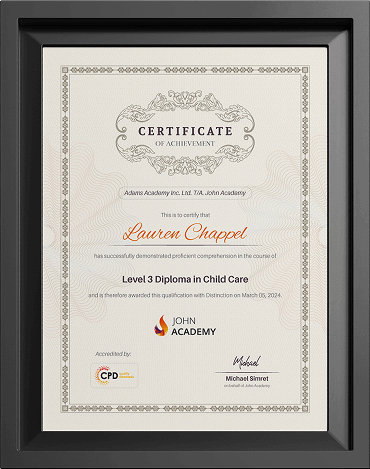
- After completing and passing the course successfully, you will be able to obtain an Accredited Certificate of Achievement.
- Certificates can be obtained either in hard copy at a cost of £39 or in PDF format at a cost of £24.
Who is this Course for?
Microsoft Word 2016 Advanced is certified by CPD Qualifications Standards and CiQ. This makes it perfect for anyone trying to learn potential professional skills.
As there is no experience and qualification required for this course, it is available for all students from any academic background.
Requirements
Our Microsoft Word 2016 Advanced is fully compatible with any kind of device. Whether you are using Windows computer, Mac, smartphones or tablets, you will get the same experience while learning. Besides that, you will be able to access the course with any kind of internet connection from anywhere at any time without any kind of limitation.
Career Path
After completing this course you will be able to build up accurate knowledge and skills with proper confidence to enrich yourself and brighten up your career in the relevant job market.
Course Curriculum
-
Modify User Information 00:15:00
-
Share a Document 00:30:00
-
Work with Comments 00:15:00
-
Compare Document Changes 00:15:00
-
Review a Document 00:15:00
-
Merge Document Changes 00:15:00
-
Coauthor Documents 00:15:00
 Modify User Information
 -
Add Captions 00:15:00
-
Add Cross-References 00:15:00
-
Add Bookmarks 00:15:00
-
Add Hyperlinks 00:15:00
-
Insert Footnotes and Endnotes 00:15:00
-
Add Citations 00:30:00
-
Insert a Bibliography 00:15:00
-
Insert Blank and Cover Pages 00:15:00
-
Insert an Index 00:30:00
-
Insert a Table of Contents 00:30:00
-
Insert an Ancillary Table 00:15:00
-
Manage Outlines 00:30:00
-
Create a Master Document 00:30:00
-
Suppress Information 00:30:00
-
Set Editing Restrictions 00:30:00
-
Add a Digital Signature to a Document 00:15:00
-
Restrict Document Access 00:15:00
-
Create Forms 00:30:00
-
Manipulate Forms 00:15:00
-
Form Data Conversion 00:15:00
-
Create a New Document Version 00:30:00
-
Compare Document Versions 00:15:00
-
Merge Document Versions 00:15:00
-
Activities – Microsoft Word 2016 Advanced
-
Order Your Certificates and Transcripts
Frequently Asked Questions
Most courses do not require prior qualifications unless stated otherwise on the course page. Please check the individual course description for any specific entry requirements.
Learners must usually be 16 years or older to enrol. However, learners under 16 may join with parental or guardian consent.
Yes, if you do not pass the exam on your first attempt, you may retake the exam up to 3 times, depending on the course terms.
You will normally have 1 year of access to your course from the date of enrolment. Course duration may vary, and the estimated study time is mentioned on the relevant course page.
Yes, our courses are available worldwide. You can enrol and study from any country as long as you have an internet-connected device.