Microsoft Publisher 2007 for Beginners
 389 Students


 14-Day Money-Back Guarantee
-
1 Year Access
 -
Beginner Skill Level
 -
Course Certificate Certificate
 -
14 Units
Units -
0 Quizzes
 -
11 hours, 30 minutes Duration
Description:
Microsoft Publisher is an easy-to-use word processing and publishing software. Through this course, you will learn the necessary skills, knowledge and information about the Microsoft Publisher 2007 Essentials and learn the finer details to begin creating publications. Know how to work with publications, perform basic editing task, how to perform basic formatting tasks and add finishing touches to make your publications more effective.
Who is the course for?
- Professionals who want to learn about the Microsoft Publisher 2007
- People who have an interest in the basics and features of the Publisher 2007
Entry Requirement:
- This course is available to all learners, of all academic backgrounds.
- Learners should be aged 16 or over to undertake the qualification.
- Good understanding of English language, numeracy and ICT are required to attend this course.
Assessment:
- At the end of the course, you will be required to sit an online multiple-choice test. Your test will be assessed automatically and immediately so that you will instantly know whether you have been successful.
- Before sitting for your final exam, you will have the opportunity to test your proficiency with a mock exam.
Certification:
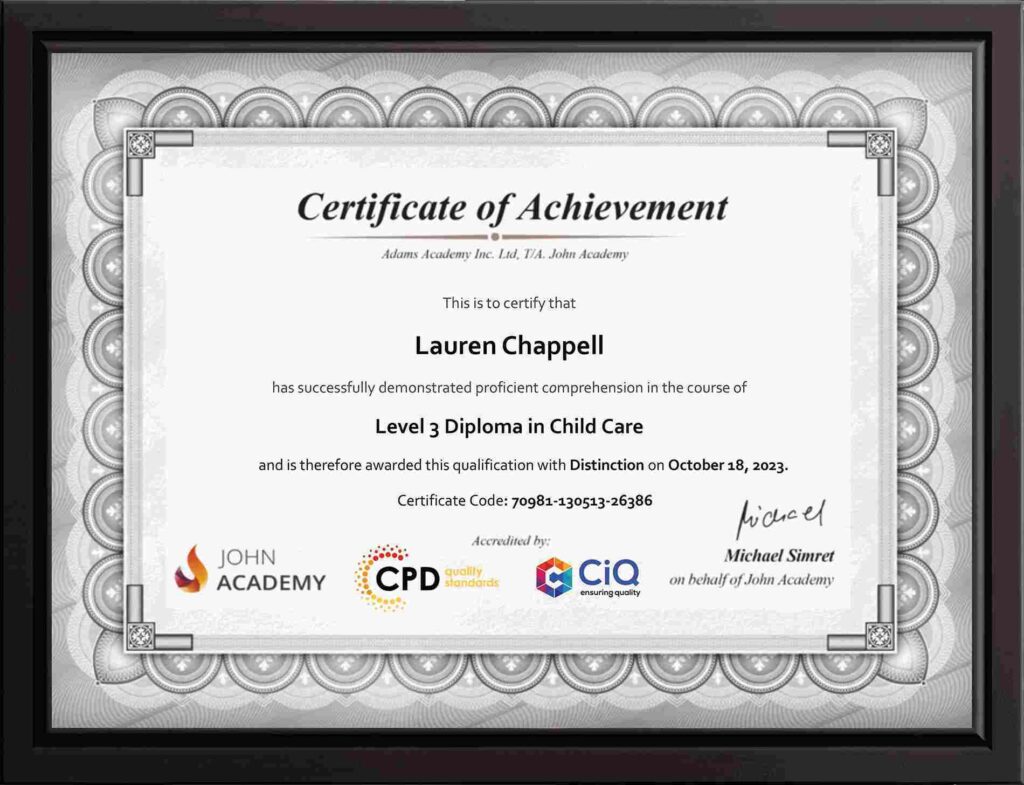
- After you have successfully passed the test, you will be able to obtain an Accredited Certificate of Achievement. You can however also obtain a Course Completion Certificate following the course completion without sitting for the test. Certificates can be obtained either in hard copy at the cost of £39 or in PDF format at the cost of £24.
- PDF certificate’s turnaround time is 24 hours, and for the hardcopy certificate, it is 3-9 working days.
Why choose us?
- Affordable, engaging & high-quality e-learning study materials;
- Tutorial videos/materials from the industry leading experts;
- Study in a user-friendly, advanced online learning platform;
- Efficient exam systems for the assessment and instant result;
- The UK & internationally recognised accredited qualification;
- Access to course content on mobile, tablet or desktop from anywhere anytime;
- The benefit of career advancement opportunities;
- 24/7 student support via email.
Career Path:
The Microsoft Publisher 2007 for Beginners course is a useful qualification to possess and would be beneficial for professions like the following positions:
- Administrative Assistant
- PA
- Secretary
- Administrator
- Office Manager.
-
 Module One – Getting Started 01:00:00
 -
Module Two – Module Title 01:00:00
-
Module Three – Working with Publications 01:00:00
-
Module Four – Your First Publication 01:00:00
-
Module Five – Basic Editing Tasks 01:00:00
-
Module Six – Using the Format Publication Task Pane 01:00:00
-
Module Seven – Basic Formatting Tasks 01:00:00
-
Module Eight – Formatting Paragraphs, Part One 01:00:00
-
Module Nine – Formatting Paragraphs, Part Two 01:00:00
-
Module Ten – Formatting the Page 01:00:00
-
Module Eleven – Module Title 01:00:00
-
Module Twelve – Wrapping Up 00:30:00
-
Activities – Microsoft Publisher 2007 for Beginners
-
Order Your Certificates and Transcripts
What Our Students are Saying

Sam Carpenter
John Academy has helped me in my development, and I took the courses seriously and gained a qualifications certificate, which I've wanted to do for a long time. I highly recommend it, and a few friends have signed up, too. Thank you, John Academy.
Georgina Salazar
Easy to access, generous options for multiple learning and approaches. Supportive team.
Wayne Wright
The course empowers me to make my dreams come true. The course material was excellent. John Academy is good to study.
Romina
I am thankful that I have chosen John Academy for my online courses. It has given me a platform where I have learned a lot. It has so many reading materials with a handful of knowledge. Once again, thank you so much to the John Academy support team, who has cooperated & supported me throughout this journey.
Peter Gilbert
Brilliant course, with so many to choose from, very good value and a certificate at the end. Quick turnaround to receive a certificate. Very good academy I have completed several and have 2 ongoing at the moment. Never had any problems. Excellent customer service. Would recommend.

Other Students Also Bought
No course found